
We’ve updated our head-to-head comparison of the top gen AI video tools to include the latest models and capabilities
Originally published: May 22, 2025
Last updated: Feb. 17, 2026
There are dozens of AI generative video tools to choose from. But which is the best AI video generator?
That’s actually a tricky question to answer. That’s because the technology is advancing so rapidly that major new improvements seem to launch every month, if not every week.
In this post, I’ll compare 10 of the most popular tools and share the video each one generated from the same initial prompt. That way, you can see the results for yourself and pick the AI video generator app you like the best. Let’s get into it.
Table of Contents:
Transfer Large Media Files to Storage Fast
Send and receive file packages of unlimited size entirely over the cloud with MASV.
Why Use an AI Video Generator?
For fun and profit! Well, probably mostly for fun right now, although there are numerous AI creative studios raising millions to challenge Hollywood with AI-generated realistic videos. They’re also used for creating promotional videos, YouTube videos, social media videos, and other video content.
For professional video editors, using generative AI video tools like these to create whole new establishing shots, replace missing cutaways, make green screen backgrounds, and generate other editorial fixes and high-quality videos could add real production value to your existing project.
AI tools are definitely a huge time saver when performing audio cleanup to remove background noise and other sounds, even for those with high-end video editing skills. You can also use AI tools to edit videos.
So we should all learn how to use these AI video models. Because they’re certainly not going away.
While the main players have their own proprietary models – which is the market segment we focused on for this review – many AI video generators, like Magic Hour, provide solid outputs by bundling multiple AI models into one platform with a different interface and subscription cost on top.
That’s not a bad thing if it puts the best AI tools in one place, but it’s something to keep in mind when shopping for the best generative video maker.
How We Tested These Tools
To determine the best AI video generator, we ran the same prompt through each tool in order to create professional-looking videos and easily compare the results based on the same input. This facilitated an apples-to-apples comparison of video quality and how each AI video maker handles the same video creation prompt.
- This comparison skips over a nuance that some tools likely respond better to different prompt styles, technical language, and content structure. We did look at tools like Synthesia and Colossyan, but they’re mostly for corporate-style AI avatars and explainer videos and didn’t fit our prompt very well.
- As Artlist and Adobe Firefly allow you to access multiple models, I mostly generated our test clips within those two platforms (except for Hailuo Minimax, Pika, and Runway).
While we’ve introduced some new models in this update, it’s worth noting that many models have improved dramatically since I first wrote this article in May 2025.
For instance, most advanced AI tools now accept reference images as an input alongside the text prompt. This really helps the model enhance video content and improve video quality by delivering consistent, cohesive, and controllable results based on an image that already looks the way you want.
I also shared my perspective on each tool’s output across the following categories as it pertains to creating visually appealing videos, although these are of course more subjective.
- Accuracy: How many errors are in the video?
- Realism: Does it look real?
- Consistency: How closely does it follow the prompt?
- Creativity: Does it look interesting?
You can also see which models deliver the following AI features best during the video creation process:
- Free trial
- Cheapest available price
- AI text to video
- Image to video
- Update outputs
- Highest resolution
- Maximum shot length
- Multi-shot
- Lip sync
- Sound generation
The AI video test prompt
For our original post we used Perplexity.ai to design a prompt to compare these video tools, and to keep things consistent, we stuck with the same prompt this time around. With a little bit of work, here’s where we ended up:
Create a cinematic shot of a futuristic coastal city at golden hour. The camera tracks a sleek flying vehicle gliding over a wide river filled with glowing boat traffic, revealing neon-lit skyscrapers with prismatic glass facades reflecting the sunset, a river surface with perfect mirror-like ripples doubling the city’s neon lights, bioluminescent algae glowing cyan along the waterfront, pedestrian bridges with depth-of-field blur on crowds of humans and android hybrids, sunlight filtering through lenticular clouds creating volumetric rays, bokeh effects from floating holographic advertisements, and a slow push-in reveal of a central tower with caustic light patterns from the water. Maintain hyper-realistic textures (wet concrete, glass condensation) and cinematic color grading (teal shadows vs. orange highlights). Include subtle motion blur during panning shots and lens flare from the setting sun. Style: Blade Runner meets realistic architectural visualization.
To be fair to all of the AI video models, it might be an overly complex prompt. But it’s interesting to see how each one handled it.
AI Video Generators Compared
Here’s a summary table of the various tools to give you a quick overview of how they stack up.
| Tool | Free Trial | Price/m (USD) | Text-Video | Highest Resolution | Image-Video | Edit Output | Max Length (sec) | Multi-Shot | Lip Sync | Sound Generation |
|---|---|---|---|---|---|---|---|---|---|---|
| Kling | Yes | $10 | Yes | 1080p | Yes | Yes | 10 | Yes | Yes | Yes |
| Runway 4.5 | Yes | $12 | Yes | 720p | Yes | Yes | 10 | Yes | Yes | Yes |
| Veo 3.1 | Yes | $19.99 | Yes | 1080p | Yes | Yes | 8 | No | Yes | — |
| Sora 2 | No | $20 (Plus), $200 (Pro) | Yes | 1080p (Pro) | Yes | Yes | 15 (Plus), 20 (Pro) | Yes | Yes | Yes |
| Pika 2.5 | Yes | $35 (Pro) | Yes | 1080p | Yes | Yes | 10 | No | Yes | Yes |
| Firefly | Yes | $9.99 | Yes | 1080p | Yes | Yes | 5 | No | Yes | No |
| Hailuo 2.3 | Yes | $14.99 | Yes | 1080p | Yes | Yes | 5 | No | Yes | No |
| Luma Ray3 | Yes | $9.99 | Yes | 4K | No | No | 10 | No | No | Yes |
| Vidu Q2 | Yes | $10 | Yes | 1080p | Yes | Yes | 8 | No | Yes | Yes |
| Seedance V1 | Yes | $29 | Yes | 1080p | Yes | Yes | 10 | Yes | No | No |
To keep things concise, I’ve had to generalize in some parts of the table.
- For example, OpenAI’s Sora offers storyboard and prompt-based controls, but not the traditional camera controls like pan/tilt/zoom etc. found in Kling AI, Runway Gen 4, Google Veo 2, and Adobe Firefly.
- Some tools offer interesting video editor features, like motion brush tools that allow you to select a portion of the image and make it move in a specific way.
- One update most of the models have adopted since the original article is sync sound generation, such as lip sync or background music. But if a particular model doesn’t have this you can always run your generated video through another platform to sync dialogue.
Almost every service has a free trial except for Open AI’s Sora, and almost all of them allow for image-to-video creation, which is usually the best way to iterate on your vision for your video clip. That’s because it’s much cheaper to re-generate single images than entire video clips. So the best workflow is to perfect the source still frame for each shot before getting the AI to add movement to it, while being specific about the camera movement you want.
The Seedance V1 Pro video model won’t work without a reference image, so I created one in Seedream 4.5, which is the image model from Bytedance (which owns both companies).
Here’s a deeper look at how each AI video generator and AI video editor fared in creating engaging videos using our prompt.
Kling AI
With a paid account, I generated the video below using the Kling 2.0 model in Professional mode:
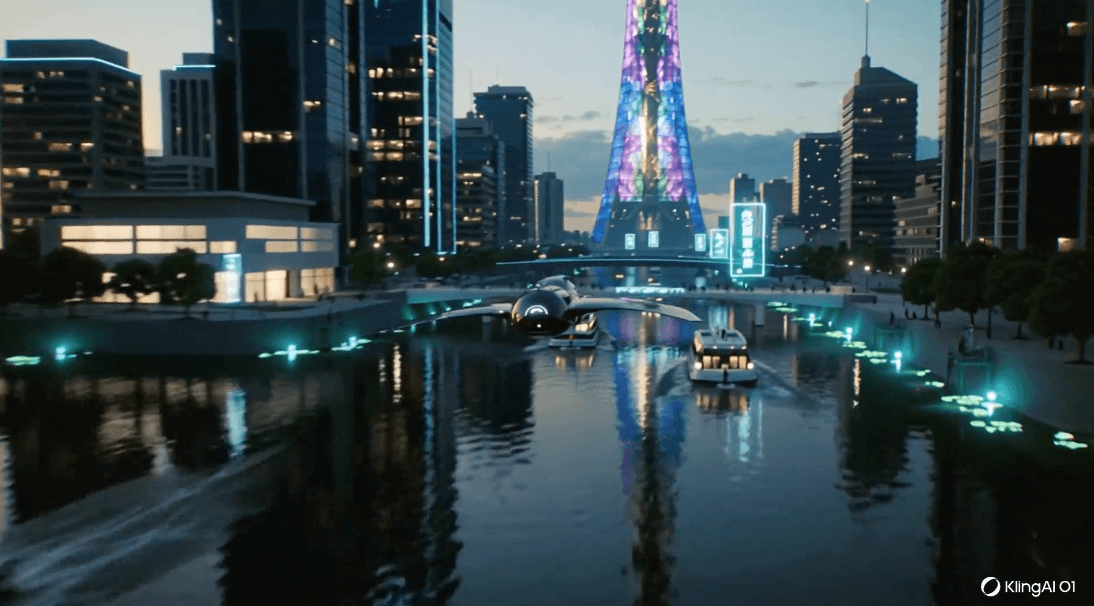
- Resolution: 1080p
- Shot length: 10 seconds
- Monthly Price: $10
Observations: Kling.ai seem to be leading the charge in terms of filmmaker-friendly tools like Kling Lab for team collaboration and their latest and greatest model, Kling 01 – the “world’s first unified multimodal video model” – which really helps with tasks like editing your existing videos.
I was really impressed by both the storytelling prompt adherence and the technical details of the Kling 01 output. It nails the sweeping camera move, perfectly following the flying ship to reveal the central skyscraper.
- Accuracy: I can’t really find fault with this shot even after numerous watches.
- Realism: The water, sunset, momentary lens flare, shadows, and reflections all look correct. The algae and holographic billboards all look appropriate to the shot.
- Consistency: Delivered both the technical details and storytelling sweep of the prompt. Top marks.
- Creativity: Creates a believable and consistent world where the creative intent of the prompt feels like it’s effectively conveyed in the output.
Note: Currently Kling 01 doesn’t generate sync sound with the video (Kling 2.6 does). If you’re using the Kling website you can generate video from text-only prompts using the Kling 01 model. If you use the Kling 01 video generation model in Artlist, you must provide at least one image as the start frame.
Kling 2.6
- Resolution: 1080p
- Shot length: 10 seconds
- Monthly Price: $10
Observations: Kling 2.6 is the latest update to its workhorse model, and is much cheaper than Kling 01.
- Accuracy: The sky isn’t correct at all and there are some strange blips in the holographic objects above the bridge.
- Realism: The water, reflections, holograms, and bioluminescent algae all look pretty good, but don’t have the ‘wow’ factor that other models do.
- Consistency: Kling delivers what the prompt requests pretty well.
- Creativity: Given the look, details and how the overall aesthetic holds together, I would give Kling 2.6 a solid B-plus for creativity.
Notes: Kling.ai is one of the most popular video generation tools. It also has useful features such as the ability to create transformations between uploaded start and end frames. Kling 01 also works hard to maintain consistency across multiple angles of the same scene.
The sync sound Kling 2.6 created sounds like a sci-fi boat in the open air, which fits the shot, even if it does come across as a little plain. I generated my Kling 2.6 video in Artlist.
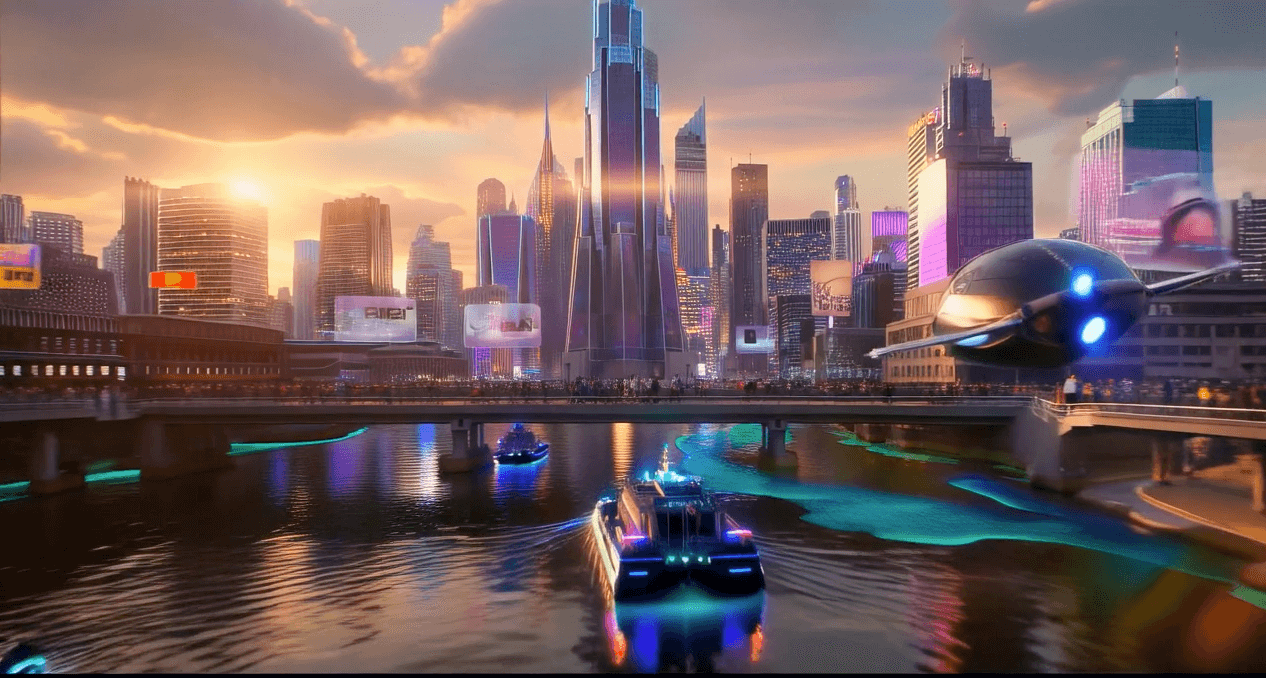
- Resolution: 1080p
- Shot length: 10 seconds
- Monthly Price: $12
Observations: Runway 4.5 created one of the most stylized generations of the batch, which excelled on some points but was lacking in areas of realism. The motion of the flying ship is excellent and had a real ‘directed’ feel to it. It would have been nice for the shot to tilt up at the end to see the full skyscraper, but this wasn’t stipulated in the prompt.
- Accuracy: The sunlit lens flares are good enough on the first pass but when examined closely aren’t quite right. The boats don’t create wake in the water.
- Realism: The sunlit lens flares work well in motion giving the sense that the sun is obfuscated by the buildings. But the look of the water, people, and textures of the buildings are weak.
- Consistency: It hits all the main points in the prompt well.
- Creativity: I really like the layout of the shot and the bridge over the river draws your gaze to the centre. It’s a shame it doesn’t feel more real.
Note: Multi-shot and audio generation are now offered in Runway 4.5, as of December 2025.
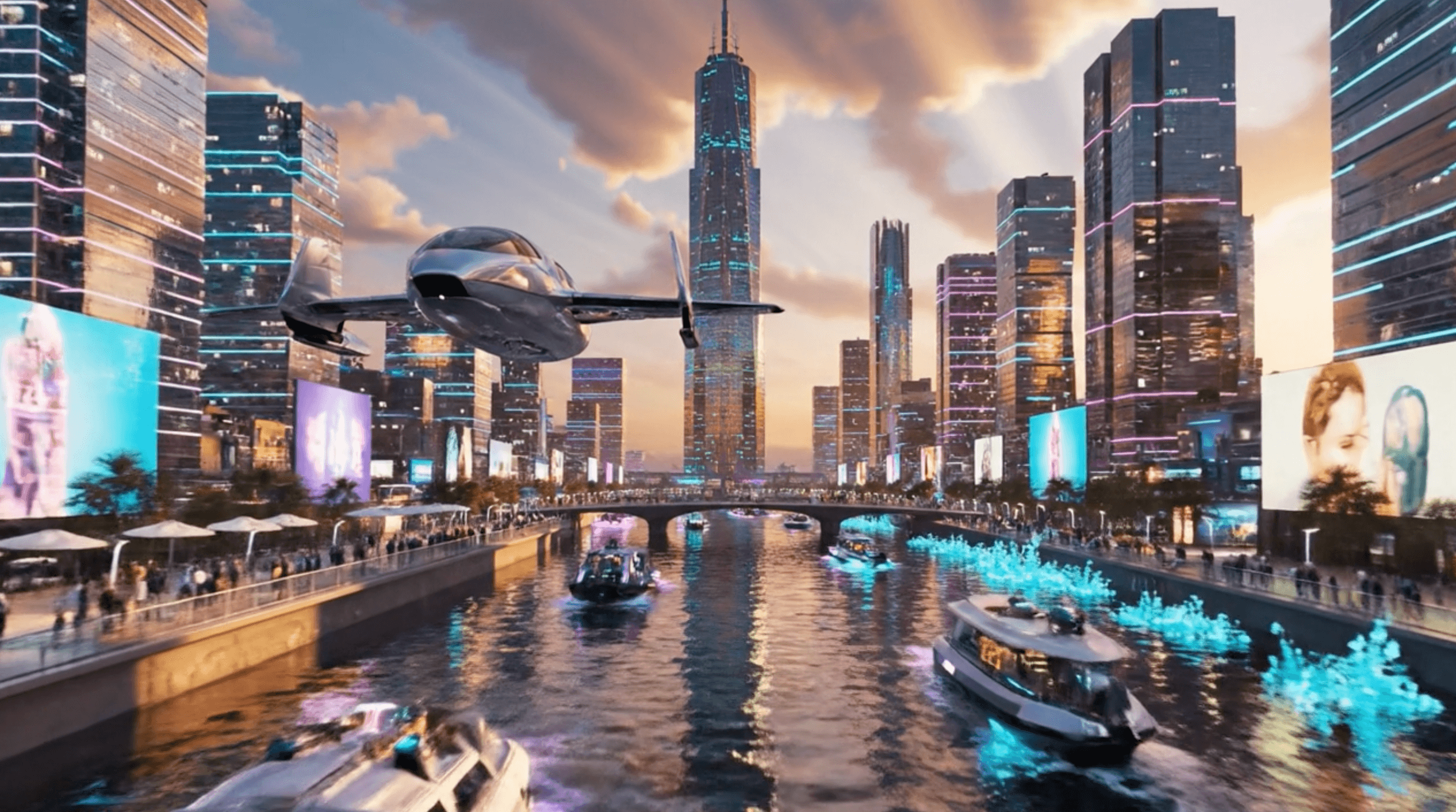
- Resolution: 1080p
- Shot length: 8 seconds
- Monthly price: $19.99
Observations: Google’s Veo 3.1, as you’d expect, is no slouch in the AI video generator competition. This shot has some fantastic details, like the light on the body of the plane changing and the slight weave to its trajectory.
- Accuracy: I couldn’t spot many visual errors at all. It all holds together nicely.
- Realism: The light and sky and building reflections all look excellent, while the water is the only aspect that feels less realistic. And the people look a little cheap.
- Consistency: All the details are there and it feels like a decent attempt at hitting all the points in the prompt.
- Creativity: While the high contrast look is initially captivating, some of the details of the shot, mostly the people and the physics of the water, let it down over time.
Notes: You can try Veo 3.1 in either the Google Gemini app or its AI video creator app, Flow. Pairing the popular Nano Banana image model with Veo 3.1 would likely produce even better results as it would have a high quality, relevant reference image to run with.
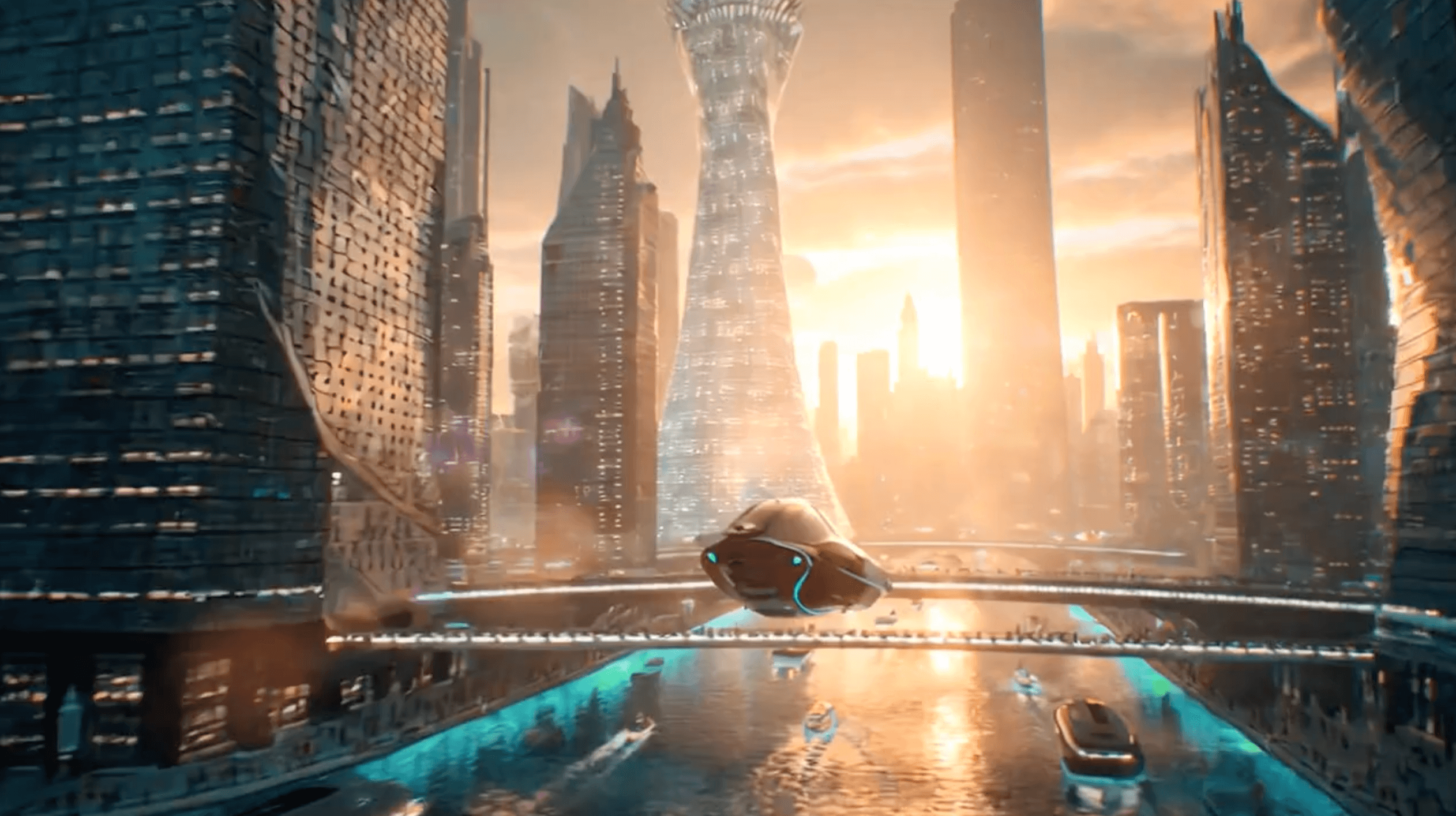
- Resolution: 1080p
- Shot length: 15 seconds (20 on Pro plan)
- Monthly Price: $20
Observations: The shot from OpenAI’s Sora 2 model holds together quite well, and it’s one of the few shots that created a sense of depth to the cityscape. The overall design feels immersive.
Accuracy: Pretty good – the boats have wake, the sunlight looks good, and the reflections feel cohesive.
Realism: It just doesn’t look or behave in a realistic fashion at all.
Consistency: All the elements of the prompt are present, although it feels like we could tone down the sunset light and bokeh for a more convincing shot.
Creativity: The overall aesthetic feels like more of a real place, and I like that the flying ship starts off larger and then speeds ahead of us to reveal the city.
Notes: The sound generation on Sora 2 was quite interesting in that it created a trailer-esque moment, but it didn’t feel related to the real-time content of the scene – no sound of the plane’s engines, for example.
There is no free trial for Sora that allows you to generate videos, except through an invite-only to the iOS app in the U.S. and Canada. The free plan allows you to generate three images per day, but no video.
- Resolution: 1080p
- Shot length: 10 seconds
- Monthly price: $35
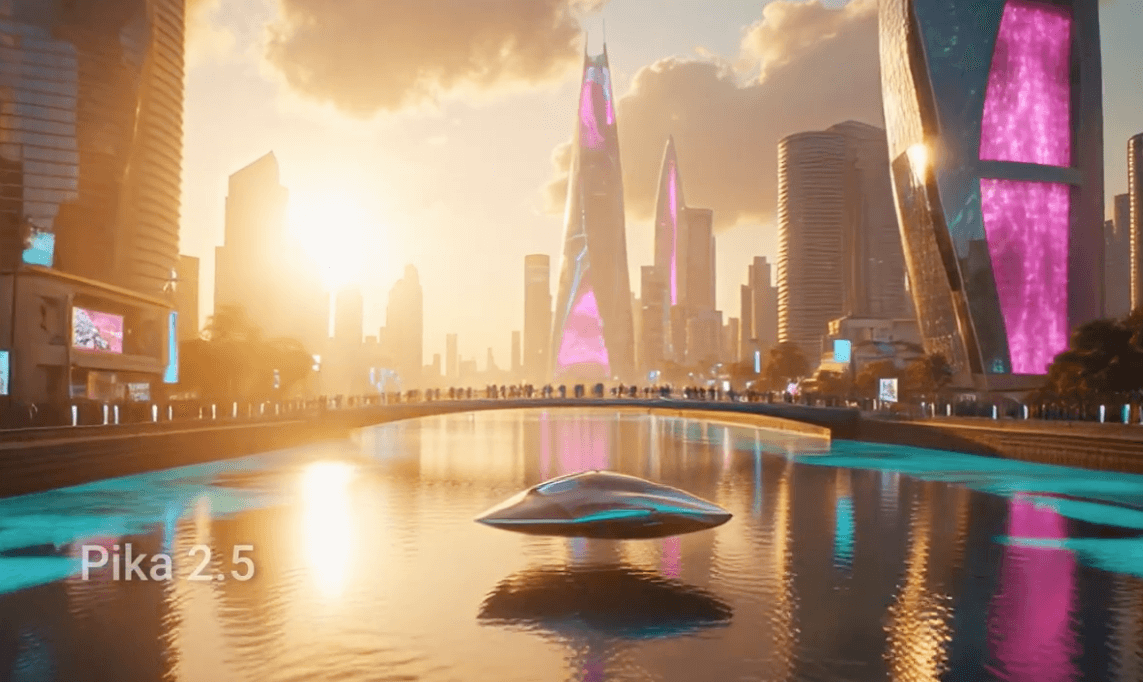
Observations: Demand was high when I generated the video above, so – as was the case during our test of Pika 2.2 last year – it took a really long time to generate using the Pika 2.5 video model.
The most striking thing about this shot is the really cool moving lights on the central building, which are not in the prompt but feel like a natural part of the futuristic nature of the shot.
- Accuracy: The technical details of the shot are all really good to my eye.
- Realism: The reflections on the water, the shadow on the vehicle as it passes under the bridge, and the clouds all look fantastic.
- Consistency: There are no boats in the river, so that aspect of the prompt was completely overlooked.
- Creativity: I would give it an A- (as there are no boats), but the design and layout of the shot look great.
Notes: Interestingly, when I went to cancel my paid subscription, I was offered a discount of 50 percent off. So if you plan to keep using Pika, maybe go to cancel anyway and see if they offer you the same deal!
Pika has some helpful preset actions to run with, such as PikaFrames – where you supply two frames and it morphs between them – or PikaAdditions, where you specify what you want it to add to the existing shot.
You can also set your generated aspect ratio to suit video specs from popular social media platforms.
The Pika 2.5 video was generated on the free plan, which is limited to 480p. It was then upscaled with Topaz Labs to HD.
- Resolution: 1080p (4K soon)
- Shot length: 5 seconds
- Monthly price: $9.99
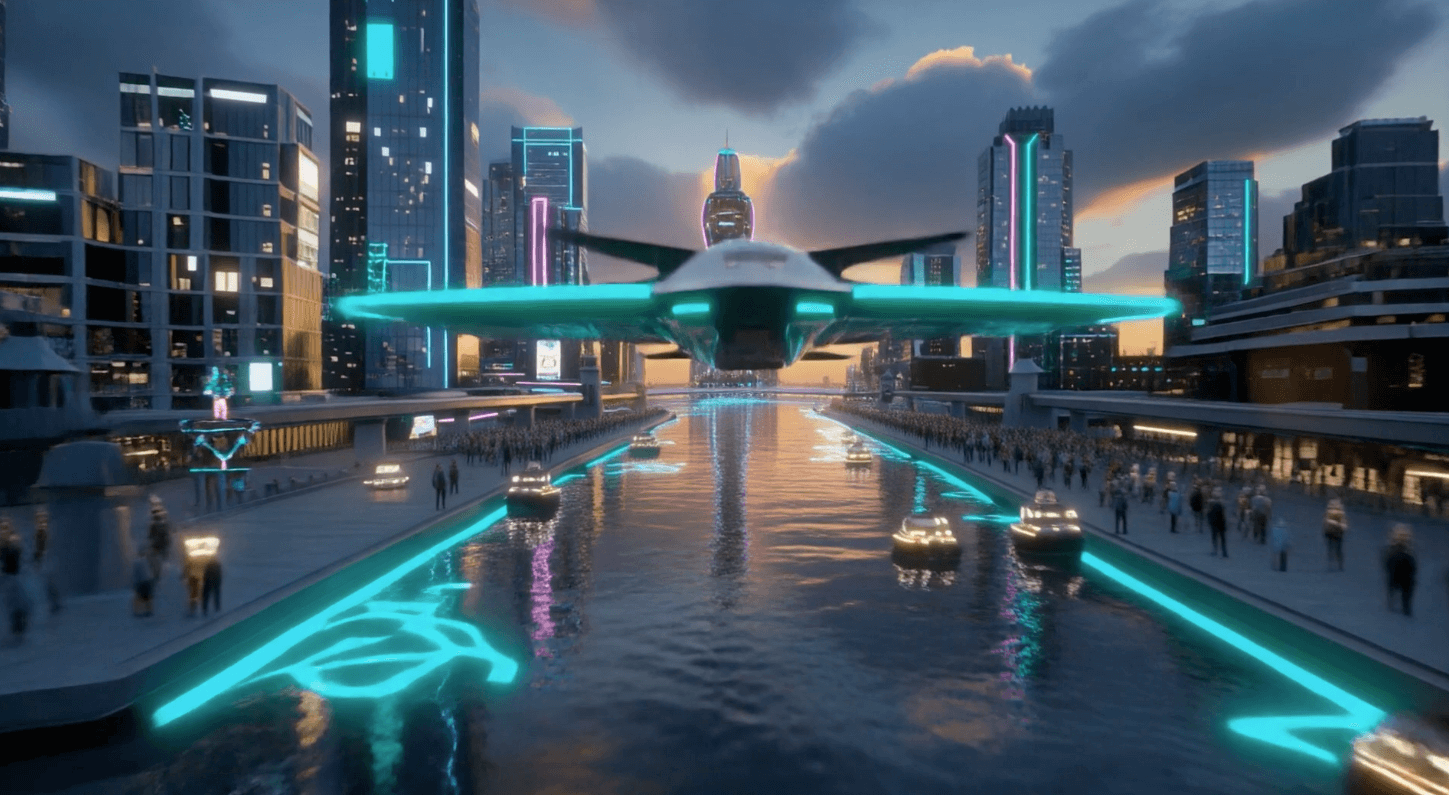
Observations: Adobe’s Firefly video model was significantly updated in December of 2025, and delivered a very quick generation. Because it offers access to other models within the platform, I was also able to generate the Lumalabs Ray3 video there, as well. The platform also offers access to Sora 2, Veo 3.1, Runway Gen 4.5, Ray3, and Pika 2.2.
Of all the shots in this test, this one feels the most like it was created by a junior designer and that it hews closer to an architectural rendering aesthetic rather than the cinematic aspect of the prompt.
It did generate it in 4K, though – an improvement from our previous test.
- Accuracy: The crowds on the riverbank are too dense for my liking. Also, the flying vehicle isn’t moving, and we fly under it. Which is odd.
- Realism: The volumetric lighting looks more like spot lights at the end. The shape of the algae looks weird.
- Consistency: The components of the prompt are all there, but the overall impact is somewhat lacking.
- Creativity: The lack of other buildings, dense crowds on the river front and very shaped algae, plus the artificial volumetric lighting lets the shot down. C-plus.
Notes: A major part of Adobe’s marketing push for its AI models is that they are both creator and enterprise-friendly. By this Adobe means the models have been trained on legally acquired datasets, and are “safe for business” to use from a copyright perspective. This also means the models do not steal from artists.
Adobe Creative Cloud subscribers get a set number of AI credits included in their plan, which I used to create these AI video generations.
Just be sure to keep your tab browser open while you wait for the generation to complete – otherwise, you will lose it! This doesn’t happen with the other tools, as far as I know.
- Resolution: 1080p
- Shot length: 5 seconds
- Monthly price: $14.99
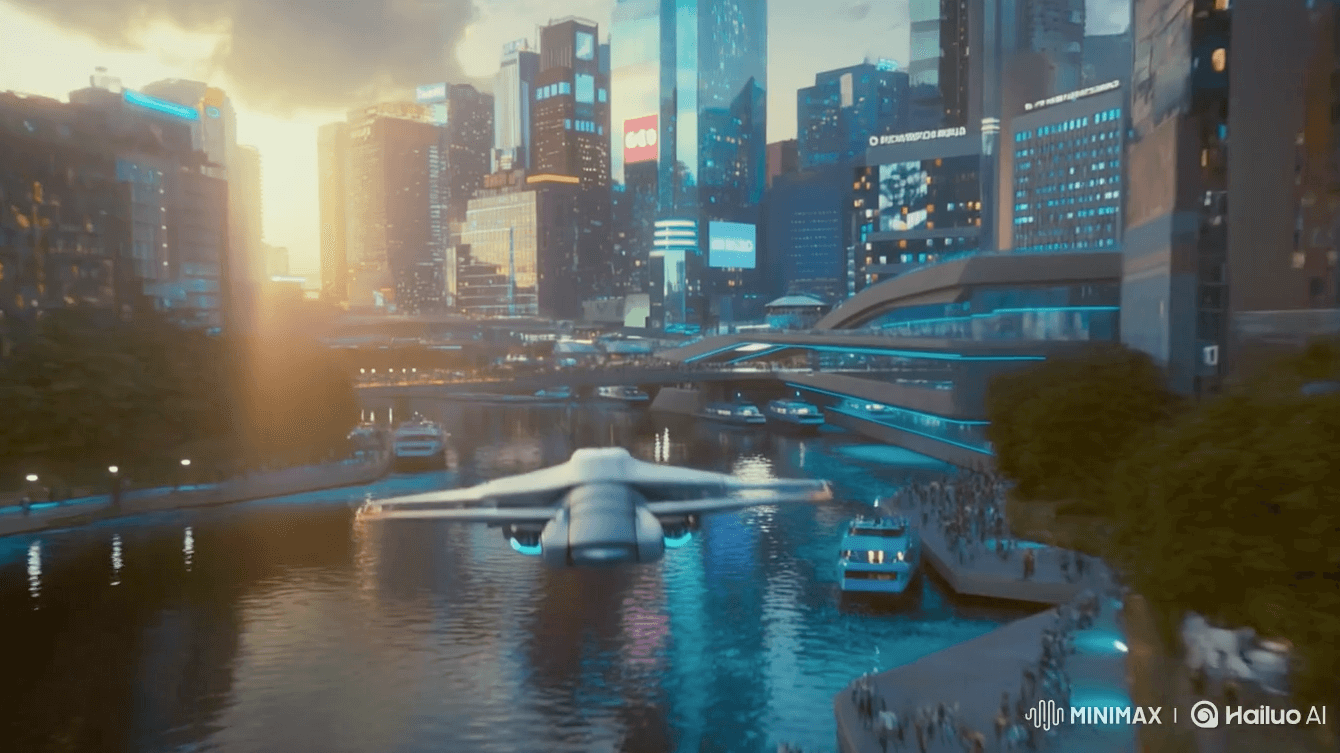
Observations: Hailuo’s Minimax video generation model is often hailed online as a serious competitor to solutions from larger providers. And I have to say, after using the company’s tools, I can see why the internet thinks this!
In the first test from May, I said: “Of all the shots generated for this article, Hailuo’s had the best storytelling framing in terms of having the hero ship start large in the frame and then reveal the skyscrapers.”
Running our updated test, I would say the opposite. This most recent iteration felt like the shot should have banked to the left down the river to reveal a skyscraper, yet we just plow straight into a pedestrian bridge.
The free trial gives you a few free credits to create a couple videos, although one thing I like about Hailuo compared to others is that you can buy one-off credit packs for as little as $5. That’s a great way to run tests like these without breaking the bank.
- Accuracy: There aren’t many mistakes in this video; there don’t appear to be any holograms, though, and the boats are not moving.
- Realism: The lighting, textures, and reflections in the glass and water all look fantastic. The plane starts off out of focus and then sharpens up, which could be intentional?
- Consistency: The model does a very good job of delivering a solid initial response.
- Creativity: The shot is OK, but the fly by doesn’t really convey any kind of reveal. I would give it a B-minus.
Notes: When I first entered the prompt the system wouldn’t let me generate it, flagging it as violating the community guidelines. Thanks to some helpful folks in the /r/hailuoai forum, I just had to add a space to make it parse “Blade Runner” as “Bl ade Runner”.
- Resolution: 4K
- Shot length: 10 seconds
- Monthly price: $9.99
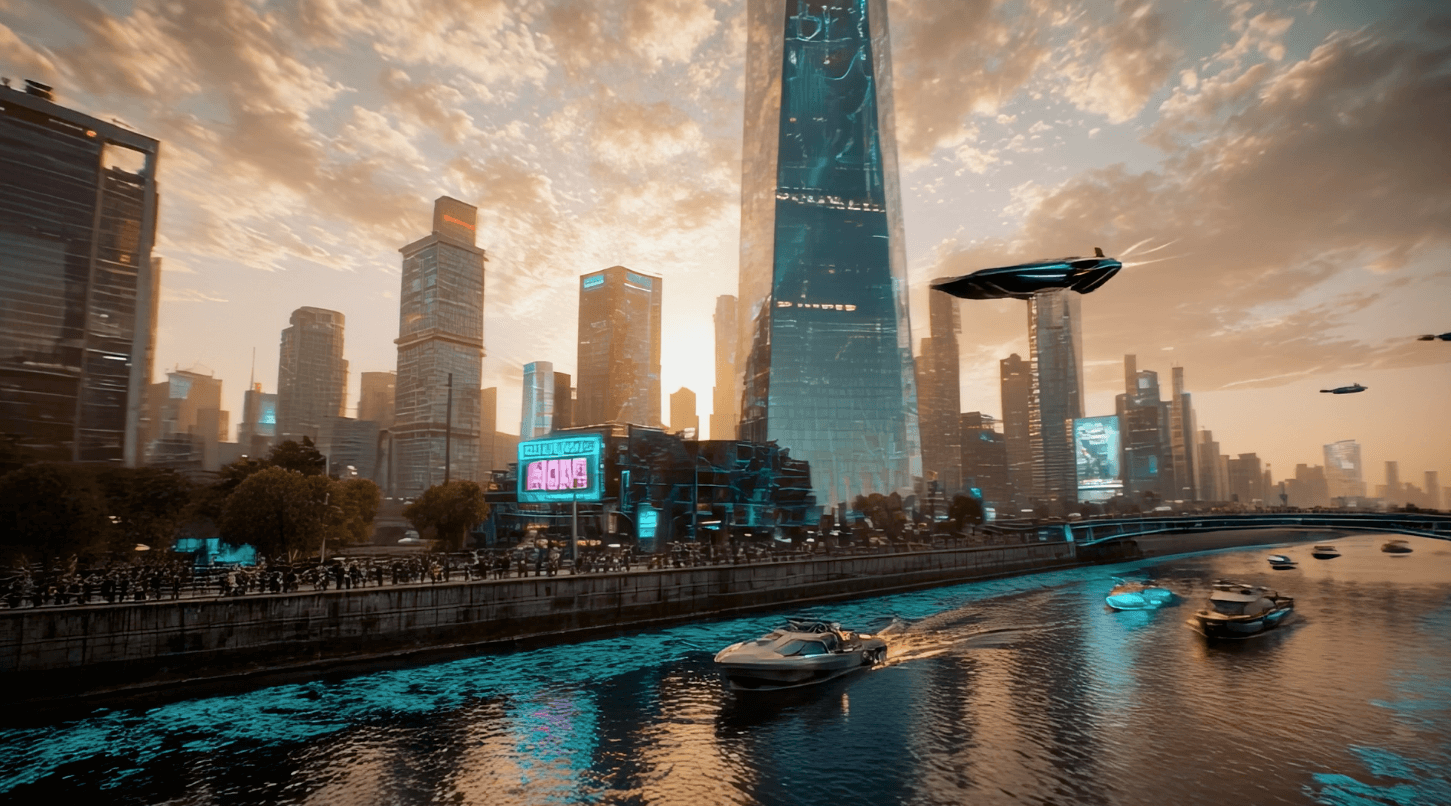
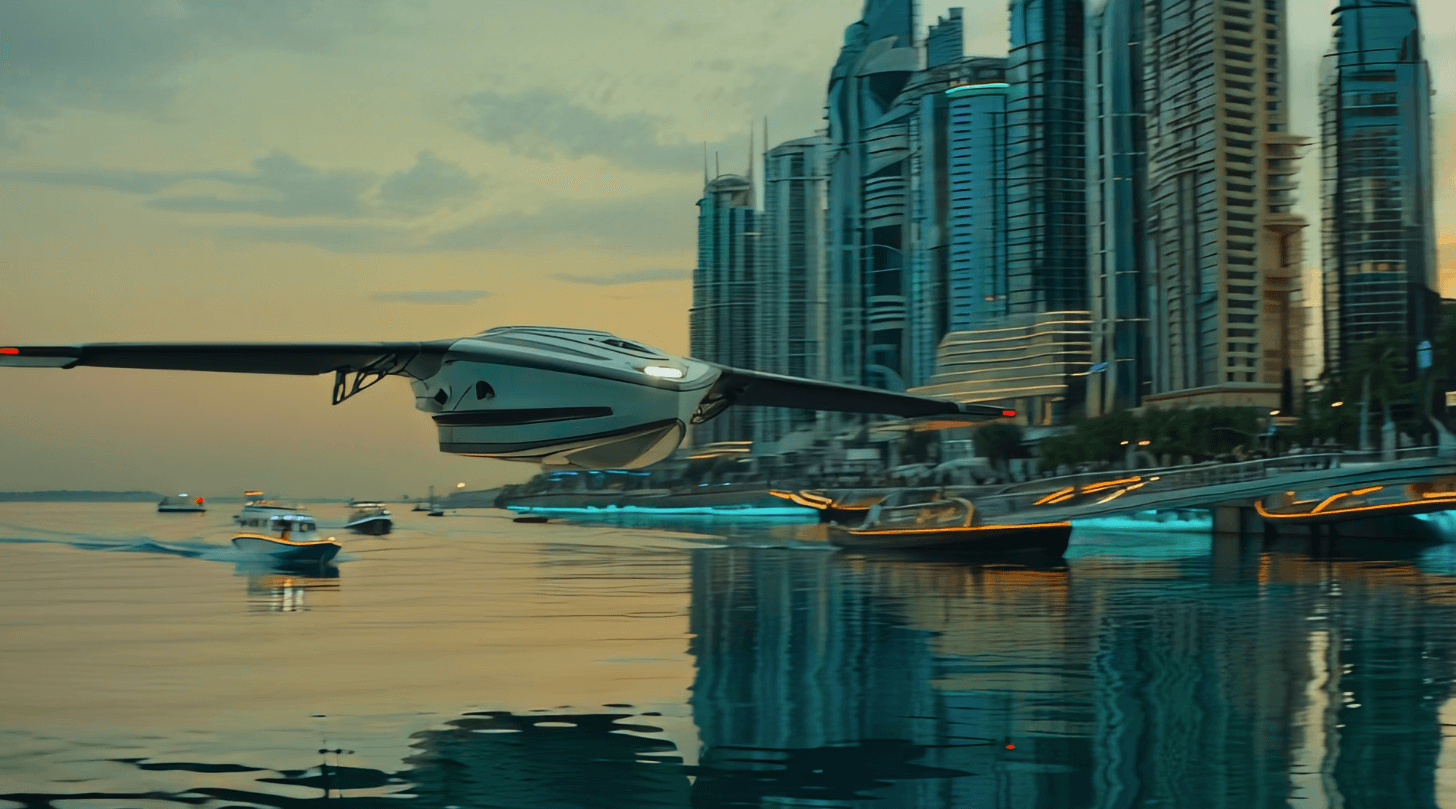
Observations: Luma AI’s Ray3 and Ray3 HDR AI video generator has made the greatest gains since our initial test. That it now supports 16-bit ACES (color space) EXR workflows in 4K and can output in HDR is a huge win for post-production professionals looking for a technically superior output.
Adobe’s Firefly platform includes access to Ray3 and Ray3 HDR, so I generated these shots there. It was quick and easy.
- Accuracy: The image falls apart terribly during the whip pan and pull back. The people on the bridge are a bit mashed up.
- Realism: The Ray3 generation feels the most like a video game cut scene, but the sky, reflections, and water texture all feel pretty realistic.
- Consistency: Ray3 has probably interpreted the camera moves in the most dynamic and interesting way, but the execution is a little off.
- Creativity: The shot has the making of something really interesting with the (too late) whip pan and dynamic rushing pull back. But the lack of accurate timing weakens the shot.
Notes: As far as I could tell, there isn’t a way to upgrade a shot from SDR to HDR, so if you want to have an HDR-ready shot, you’ll need to generate it in the HDR model from the start. This uses substantially more credits than the SDR version.
Ray3 HDR
- Resolution: 4K
- Shot length: 5 seconds
- Monthly price: $9.99
Of all the shots in this test, this one impressed me the most. It looks stunning on an HDR monitor. The bokeh, reflected light, and general design of the shot are excellent.
The move from left to right to the tilt up reveal of the building feels (mostly) correct. The design of the flying boat/plane and the neon boats on the water look futuristically believable, as does the wooden pontoon.
I would give it an A-plus, but the phosphorescent algae seems to have made its way onto the shore, which breaks the realism of the shot. There is also some warping in the background buildings, especially to the right.
- Resolution: 1080p
- Shot length: 8 seconds
- Monthly price: $10
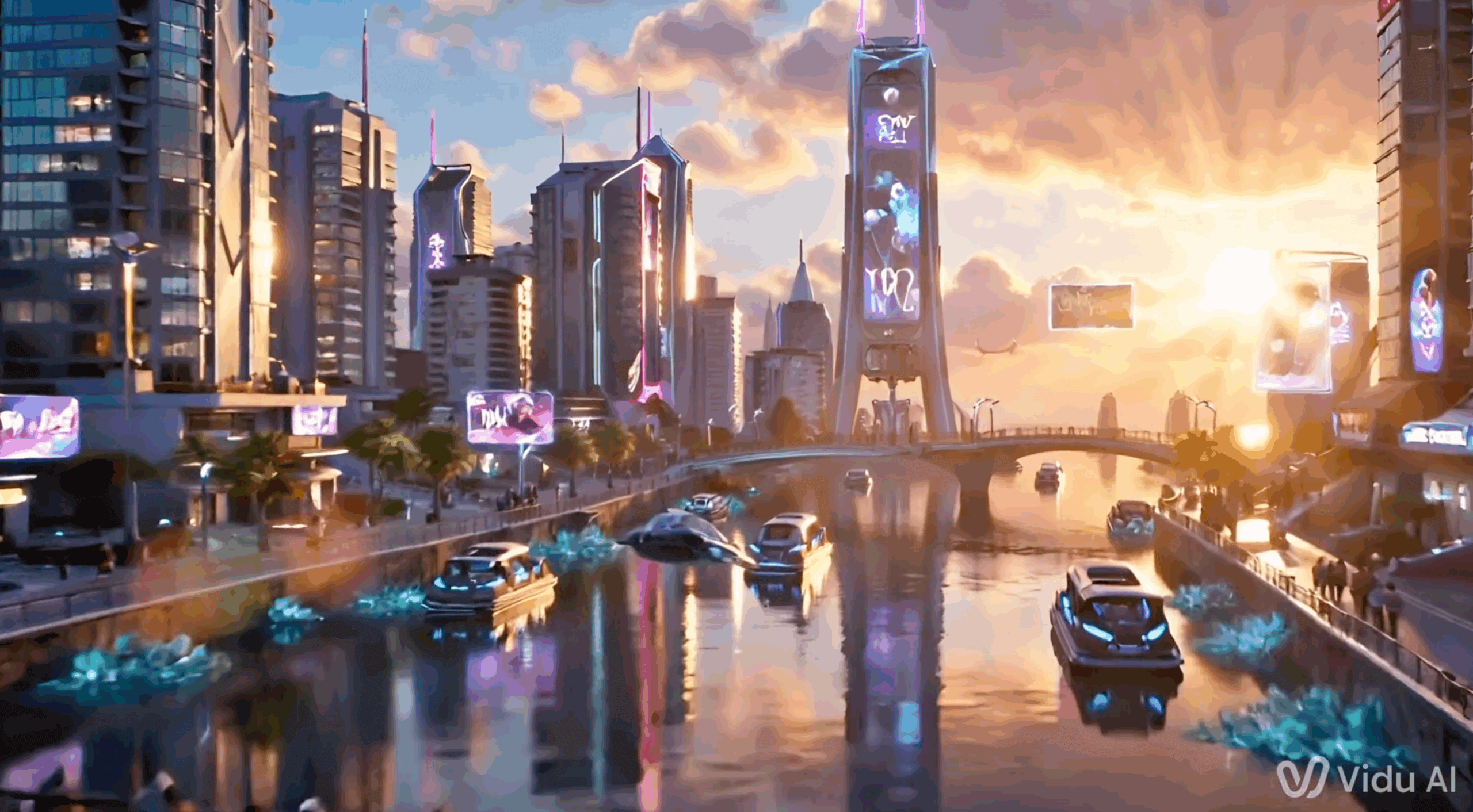
Observations: Vidu’s free trial gives you three video generations and credit bonuses for logging in each day. Their preset templates can help you create viral moments quite quickly.
Of all the models in this second test, this one seems like it hasn’t really advanced as much as the others. The output feels the least impressive of the bunch.
- Accuracy: The ship flies through the bridge. The shot looks highly compressed, leading to blocky, blurry shapes.
- Realism: The water looks pretty good and reflections match up well, but the sun’s rays shouldn’t move like that.
- Consistency: It has all the main elements, except for a vehicle revealing a building. The algae looks wrong, though.
- Creativity: In general it feels like a believable world, but the technical errors and lack of dynamic camera movement probably put it in last place.
Notes: The free plan is quite limited but Vidu offers a discount on your first month’s subscription. Its cheapest plan also allows for commercial use. While the video generation was devoid of sound, Vidu also offers an AI sound effect generator.
- Resolution: 1080p
- Shot length: 10 seconds
- Monthly price: $29
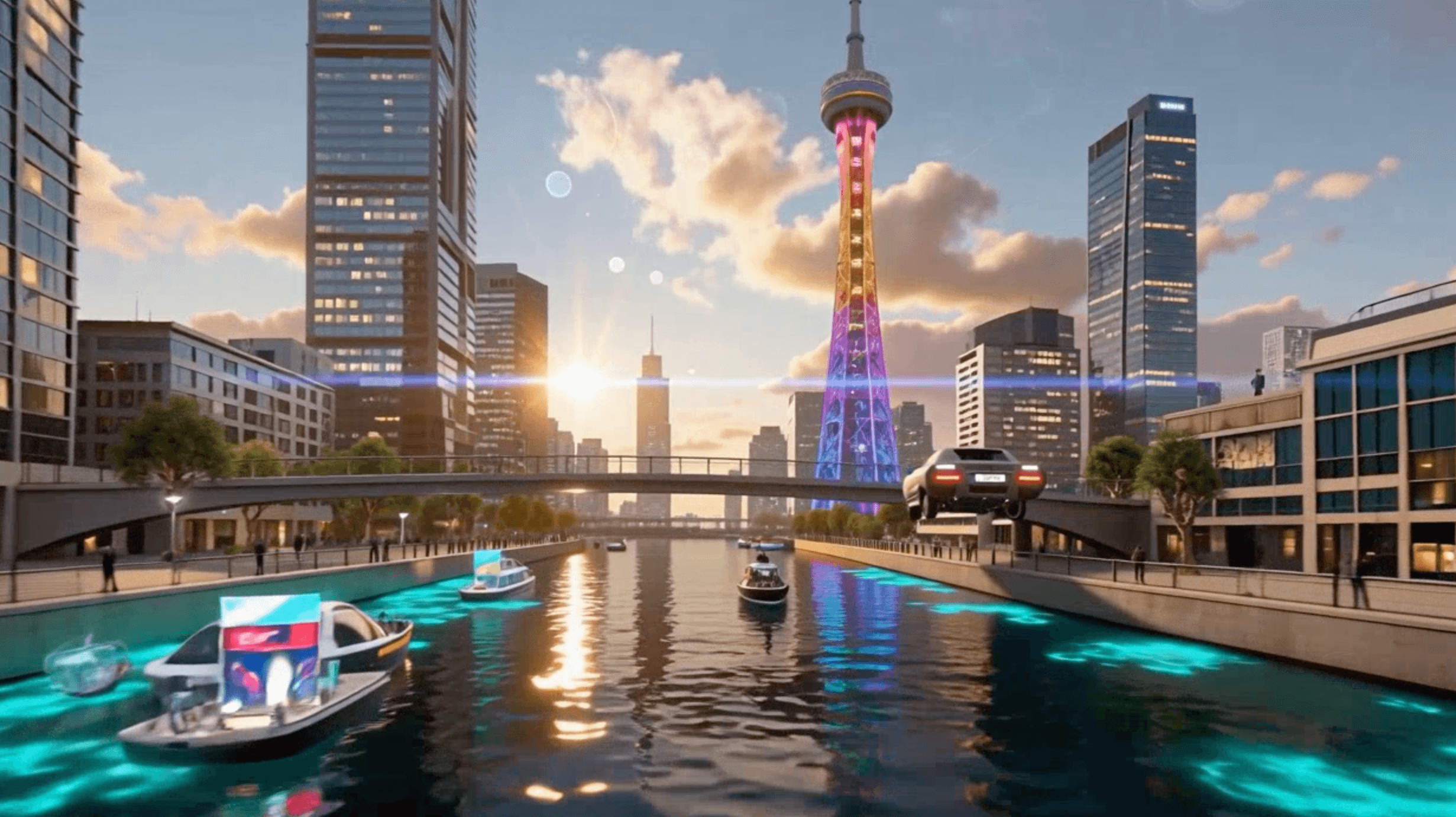
Observations: Seedance is the video generator from ByteDance (owners of TikTok). It’s a model available within ElevenLabs’ new image and video generation features.
This shot feels like it fits into a Saturday morning cartoon rather than a hyper-realistic cinematic show.
It remains to be seen whether Seedance will become a model that professional video creators will reach for, especially with complex prompts like this one. In this test, at least, it doesn’t deliver compelling results.
- Accuracy: The flying car doesn’t reflect the intention of the prompt in the way that other models achieved.
- Realism: Other than the texture of the buildings on the right, the details of the shot are quite good. C-plus/B-minus.
- Consistency: It has all of the main details mentioned in the prompt, but none of them look particularly special, and the shot doesn’t lead to a reveal.
- Creativity: It’s okay, but not great.
Notes: Seedance video models are available in ByteDance’s Capcut Dreamina, Elevenlabs, and Artlist.
The Verdict: What’s the Best AI Video Generator?
Which video platform is the best AI video generator to create videos or update existing videos really depends on which of the models you thought delivered the best results, your budget, aesthetic preferences, and goals. A filmmaker will almost certainly have different requirements compared to a team producing marketing videos or training videos.
That said, most professional-grade AI video creators use a combination of tools in their workflows. For example, creating a still image in Midjourney, animating in Runway, and adding lip-sync to dialogue in Kling. Experimentation is key!
But here are a few final thoughts:
- The two models I’ll likely be experimenting with and talking about the most are Luma AI Ray3 HDR and Kling 01.
- When it comes to Luma, being able to generate 4K EXR files ready for an ACES workflow is a massive step up from the output of the other models. The Ray3 HDR shot looks stunning.
- Having access to Ray3 HDR in the Adobe Firefly platform means I can put my Creative Cloud AI credits to good use.
- Kling 01 delivered excellent results, both in terms of the creative world it delivered and the technical details of the shot. While not in 4K HDR, its 1080p output looks superb.
- Pika 2.5 impressed with its highly detailed and realistic rendering of all the elements. It’s definitely a model I would consider experimenting with further in a production environment.
- Hailuo AI’s 2.3 model delivered very respectable results, although it would need further tweaks to the prompt to create a more interesting and dynamic shot. But the overall look and feel of the world it created was believable.
- Google’s Veo 3.1 nailed a lot of the realism details, and with simpler shots and further prompt massaging, could deliver very usable results.
- Similarly, Sora 2 created a nicely designed and believable world, where, with further prompt iteration, a really great shot could be produced. But I would keep a careful eye on compression and tearing in some parts of the shot.
I’d love to hear what you thought of all these and your experience with different AI technology during the content creation process, so please feel free to reach out and let us know!
And, of course, don’t forget that whenever you need to send your gorgeous AI generated videos (or any other types of videos or data) to storage or stakeholders, there’s always MASV for fast and reliable transfer of files of unlimited size. You can sign up for MASV for free today.
File Transfer for Big Data Workflows
MASV is the fastest, most reliable, and easiest to use large file transfer solution on the market.