
You’ve just received a link to download large files, and you’re stuck staring at a progress bar while files get zipped. And zipped again. More zips than a Norwegian parka.
It’s a ridiculous detour your workflow has to take – until now. MASV has helped our users ditch the zip on file uploads (and downloads in the Desktop App) for years, and now you can ditch the zip on file downloads using MASV Web App with zipless browser downloads in Google Chrome and Firefox. It’s a deceptively simple upgrade that eliminates bottlenecks and delivers your files faster, lighter, and exactly the way they were sent.
Want to break free from the tyranny of zipping files? MASV can help – and we promise, you’ll never look at browser downloads the same way again.
Table of Contents
Ditch the Zip With MASV
Move massive files without zipping, splitting, or compressing.
Why Platforms Like Google Drive Force You to Zip Downloads
Let’s start with the obvious question: Why do many cloud storage tools force you to download a zipped large file package in the first place?
The simple answer is because browsers have serious limitations:
- Chrome is great, but it’s not built to handle downloading massive files.
- Most browsers can’t preserve file structure.
- That’s why platforms like Google Drive compress everything into one (or even several) ZIPs before downloading.
Once the zipped file is downloaded, you’ll need double the disk space to extract it. That’s not just inefficient: it is straight-up workflow sabotage.
On top of inefficiency, zipping files for large file transfers has several other disadvantages including the potential for file corruption and a lack of cross-platform support because there are no unified standards around ZIP files.
How to Download Folders Directly Without Zipping
Here’s how to use MASV’s new zipless browser downloads feature to change the game.
1. Click a MASV download link.
2. In your Chrome or Firefox browser window, select the Skip the Zip link in the banner at the top of the window. Note: This banner will only appear if the package meets the criteria for zipless downloading.
3. On the download card, select the Download in Browser button.
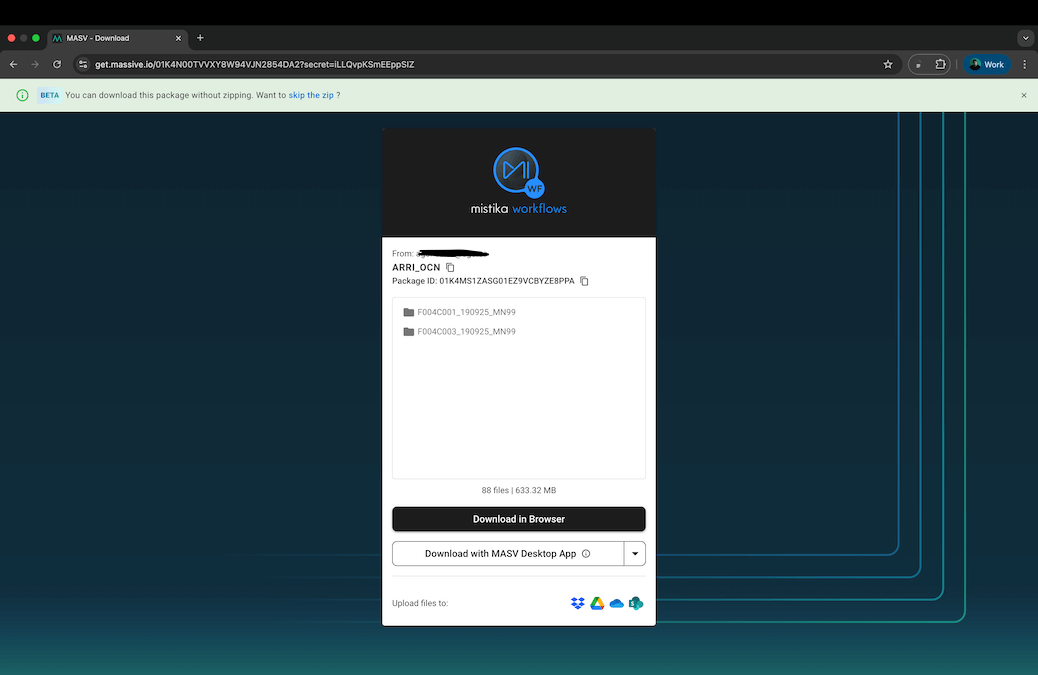
4. Select one or more files to download (Select All is enabled by default).
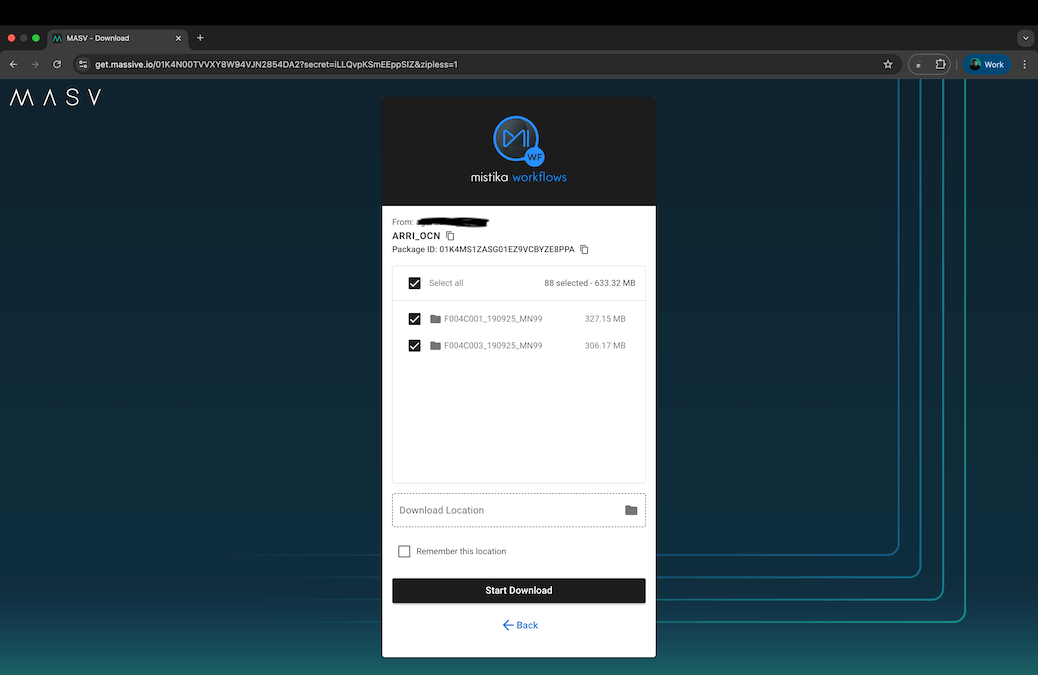
5. Hit Download Location.
6. In the pop-up, click Select Download Location.

7. Create a dedicated folder for the download (recommended) or select an existing non-system folder that MASV can write to. You cannot download to the root of a system folder.
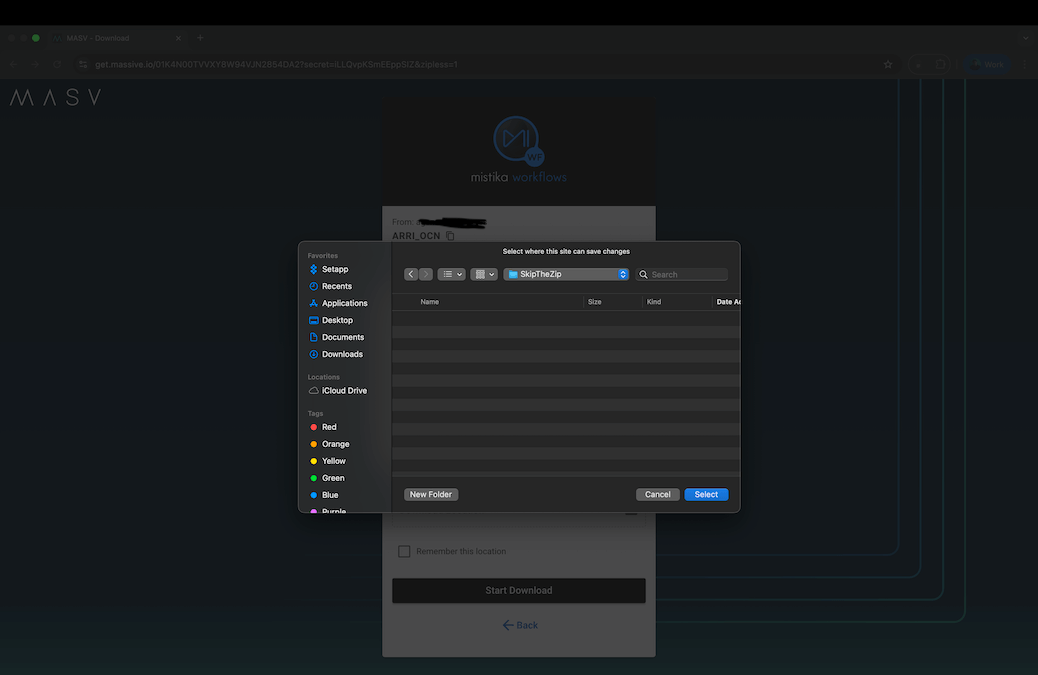
8. In the Let Site Edit Files window, select Edit Files. This crucial step allows MASV to write files to the folder you created or selected.

9. On the MASV download card, select Start Download.
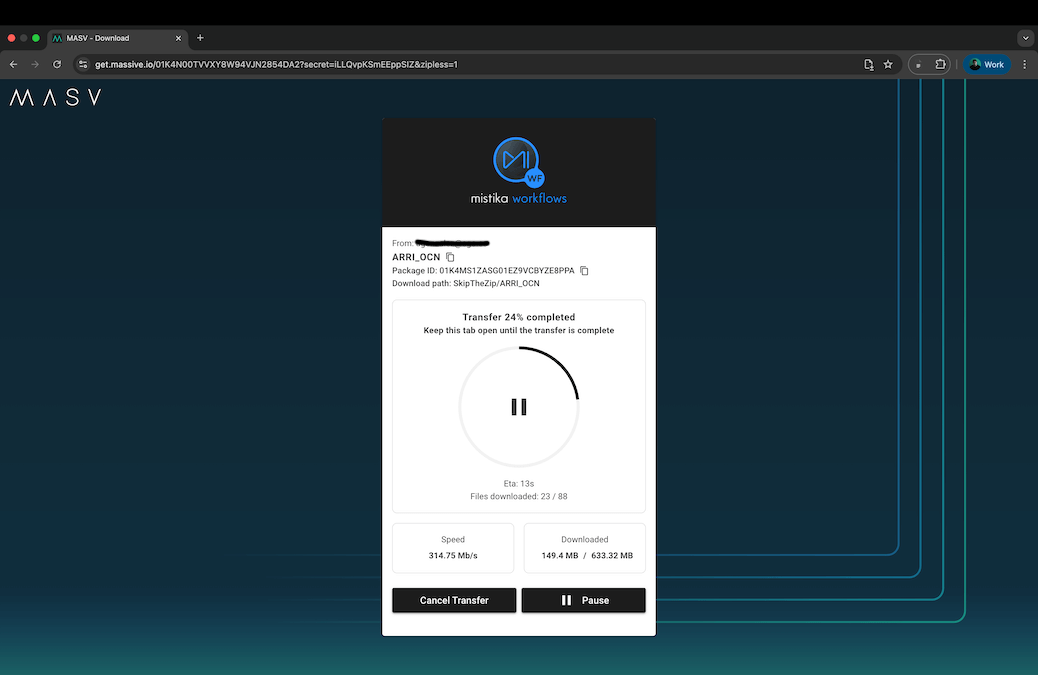
10. When the download is complete, the files will appear in a folder labeled with the package name.
Zipless With Benefits: Lighter, Better, Faster, Smarter
Using MASV’s zipless download feature is like having a direct pipeline for your files, where they arrive exactly as they were sent, without any detours.
- Download individual files, full folders, or full file trees directly from your browser.
- MASV maintains the original file structure – no manual reassembly required – without needing to generate, download, and extract a ZIP file.
Whether it’s a batch of dailies, a folder of ProRes clips, or your latest VFX delivery, MASV delivers it directly without wasting time.
Other benefits of not zipping files
No more waiting for ZIP generation: If you’ve ever downloaded a large folder from the web, you know the pain of watching “preparing your download…” tick away. With MASV zipless browser downloads, that step doesn’t exist.
No extraction needed: Say goodbye to manual unzipping – your files land ready to use, exactly where and how you expect them.
No double disk usage: A 100 GB ZIP file needs 200 GB of space: 100 to store the ZIP and 100 to extract it. With MASV’s zipless downloads, you only need space for the original files.
Faster access: With fewer steps between you and your media, you can jump into your edit, review, or delivery sooner.
No installs required (seriously): Zipless downloads work directly in your browser – you don’t even need the MASV Desktop App to enjoy these benefits. No plugins. No downloads. No IT permissions. Just a clean link, fast download, and reliable delivery.
This makes it perfect for clients and partners who don’t want to install anything, large enterprises with strict device policies, or literally anyone else sending or receiving large files.
Download Large Files Without Zipping With MASV’s Zipless Browser Downloads
With MASV zipless downloads, you can download large files without the extra hassle and potential complications of zipping. All your downloaded files land where they’re supposed to, with their folder structure intact, and without any plugins or software installations necessary.
Sound like the kind of upgrade your workflow has been waiting for? Then stop zipping and start moving. Sign up for MASV for free today to get started.
Move massive files reliably
Backed by AWS infrastructure, relentless retries, and checkpoint restart, file transfer babysitting is a thing of the past with MASV.